
- Open the MMT App and login with your credentials. The first window will be the home page once we login.
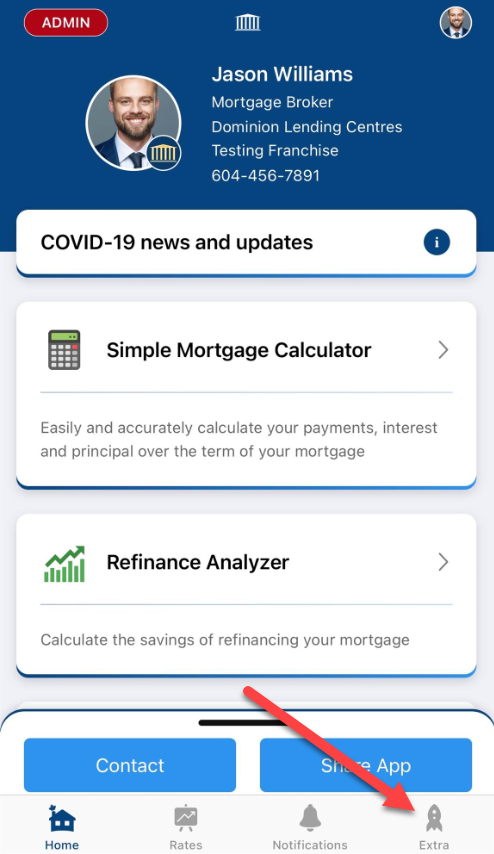
- In the home page, click on the 'Extra' tab on the bottom right corner as shown:
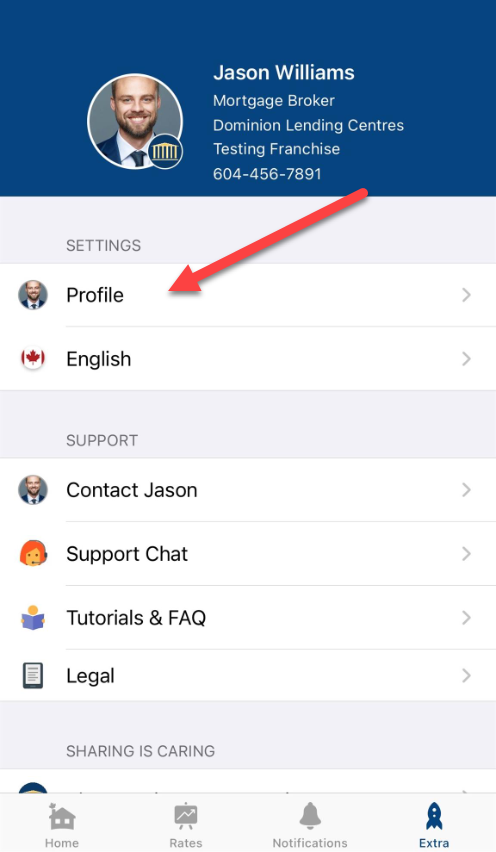
- Now, click on Profile option in the middle:
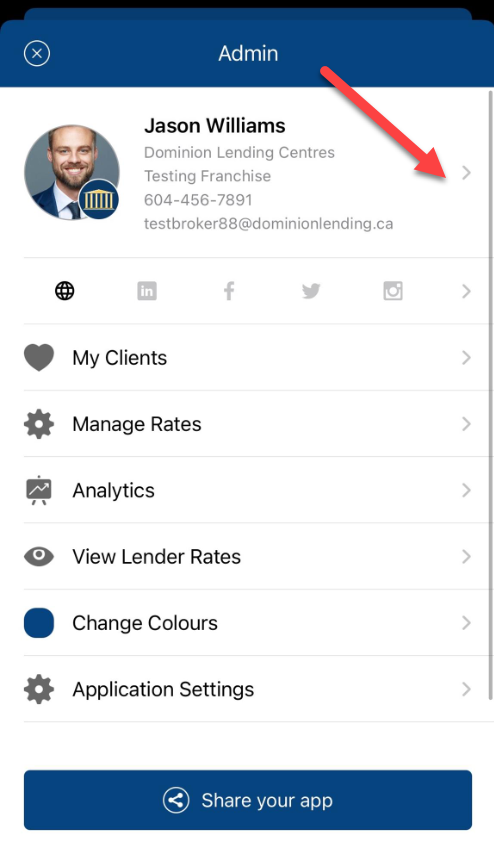
- Now, click on the arrow as shown below to open your profile:
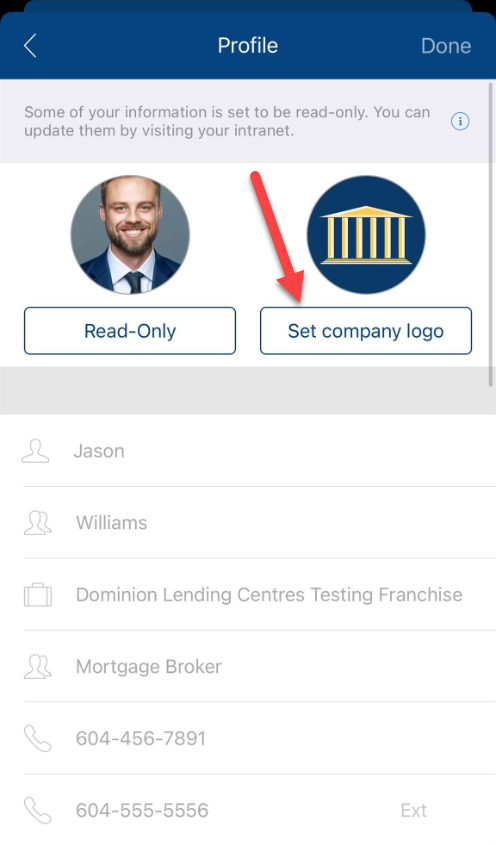
- Click on 'Set company logo' option:
- Now select the desired image from your phone's gallery and adjust the logo into the squared box so that it fits in properly. *Note - If the picture is not fitting inside the box (picture is too big) you might need to resize the picture to make it fit into the box.*
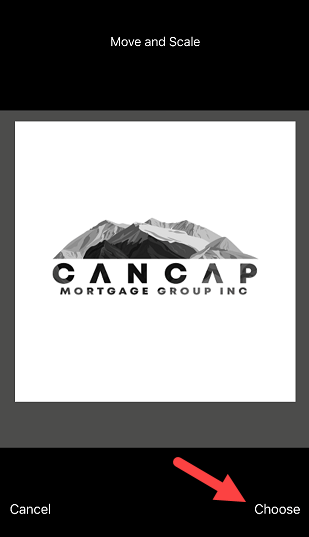
- Click on 'Choose' option once the picture is adjusted into the box and now, you are all done with setting up your company' logo.
How do I set up my company logo in MMT App?
Last Updated: 82d