
Step 1: Log in to your Web Admin Dashboard by going to admin.bendigi.com and following the login instructions on that page.
Step 2: Once logged in, click Connections.
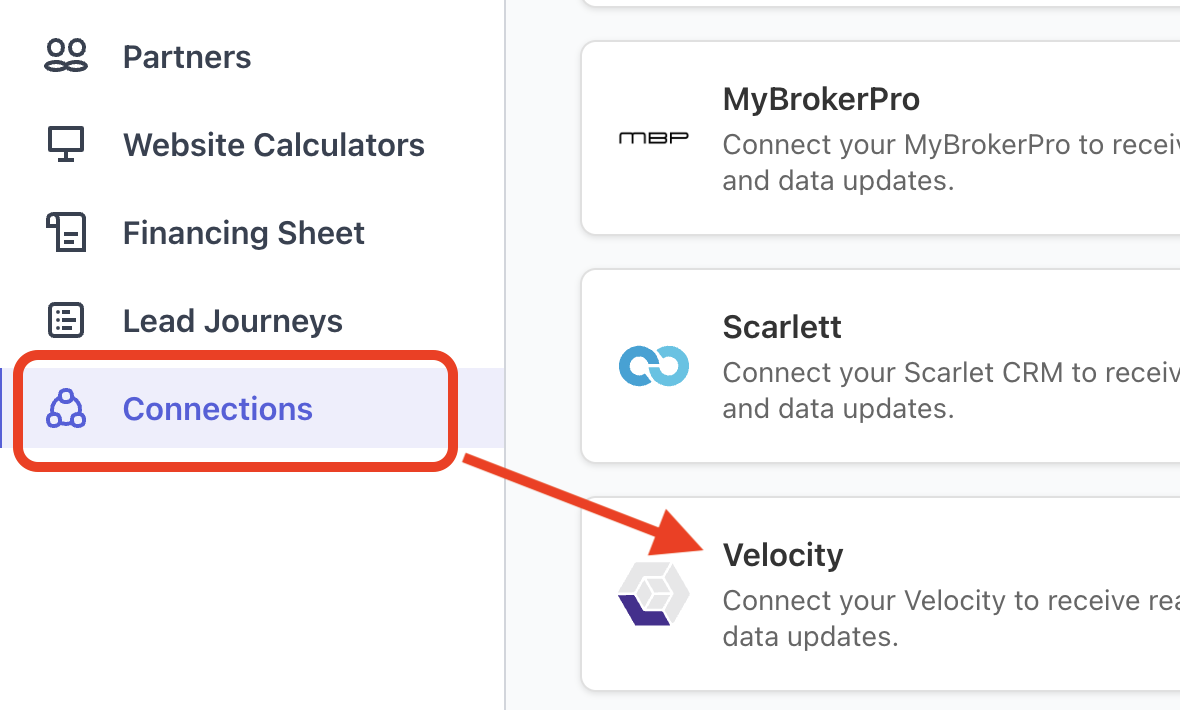
Step 3: Find Velocity in the list of integrations and click Setup.
Step 4: In a separate browser tab, log in to your Velocity account.
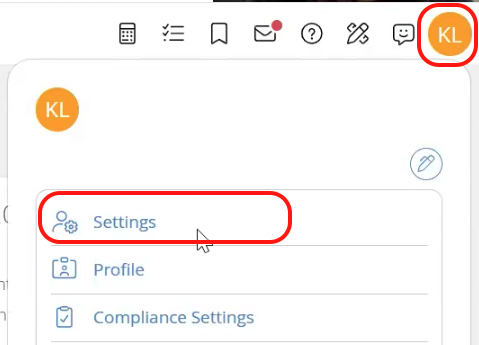
Step 5: In Velocity, tap on the top right corner and go to User Settings.
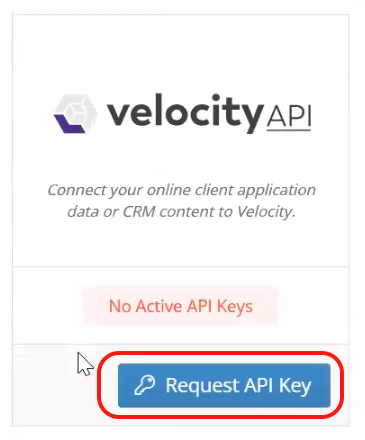
Step 6: Scroll down and look for Velocity API. If it says no active API key, click on "Request API Keys." If it says Active API Keys, proceed to step 9.
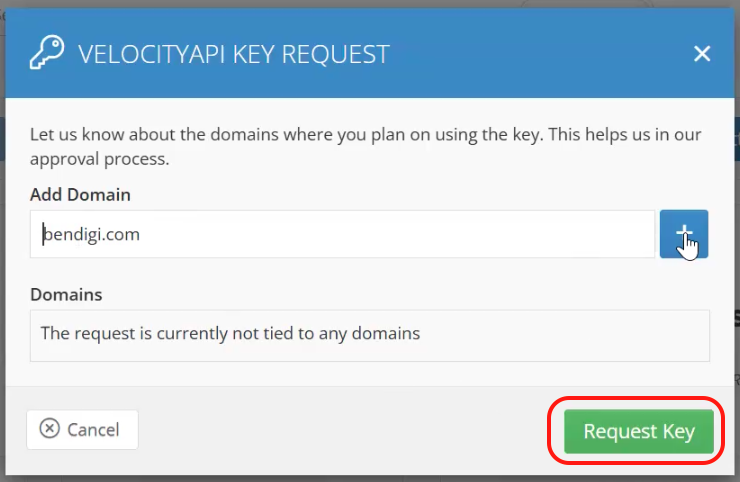
Step 8: Create a new API key if one does not already exist. Under the website domain type in bendigi.com tap on the plus sign, then request key
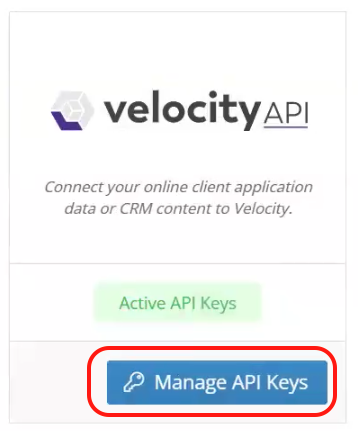
Step 9: The pop-up window will close and land on the Velocity API showing Active API Keys. Tap on Manage Key, then copy the API Key.
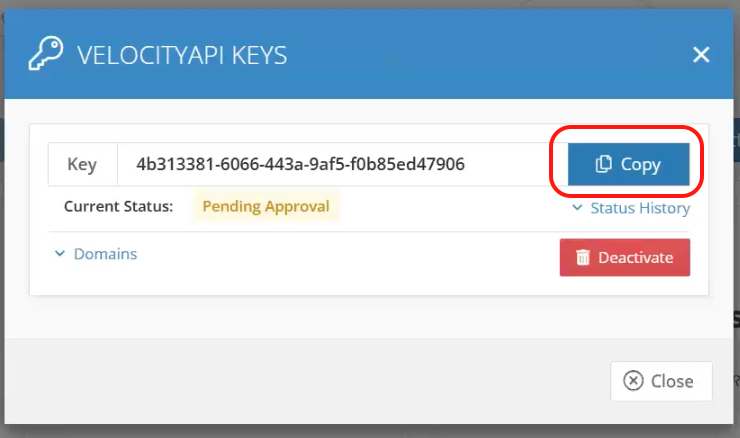
Step 10: Return to the Canadian Mortgage App Web Admin Dashboard, paste the API Key under velocity and click Add.
Once completed, the integration should show as Connected in your Connections section.