
Step 1: Log in to your Web Admin Dashboard by going to admin.bendigi.com and following the login instructions on that page.
Step 2: Once logged in, click Connections.
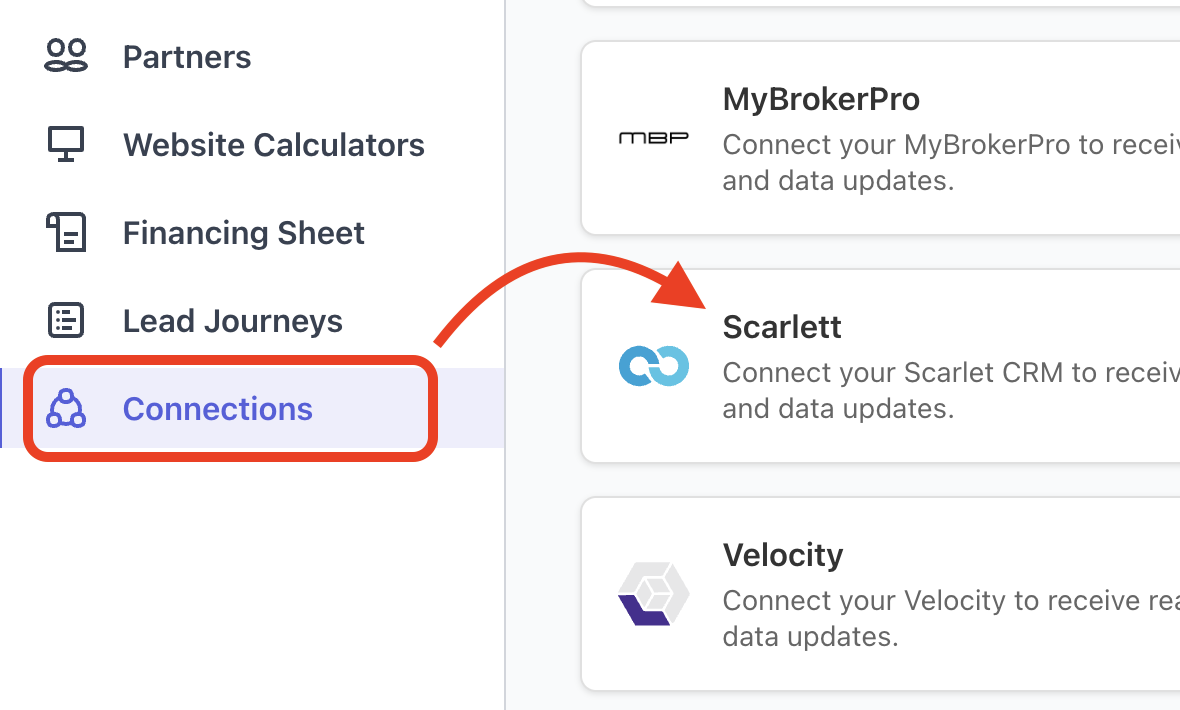
Step 3: Find Scarlett in the list of integrations and click Setup.
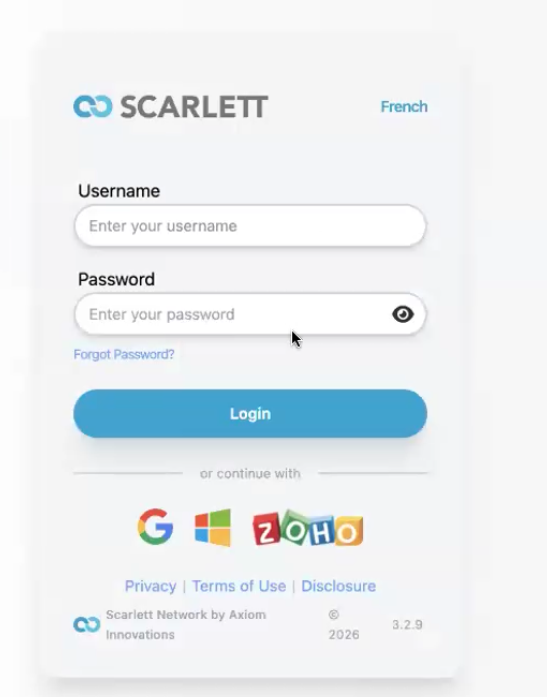
Step 4: In a separate browser tab, log in to your Scarlett account.
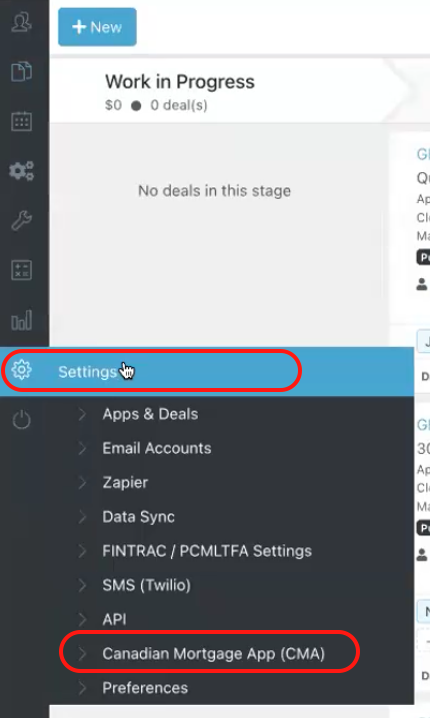
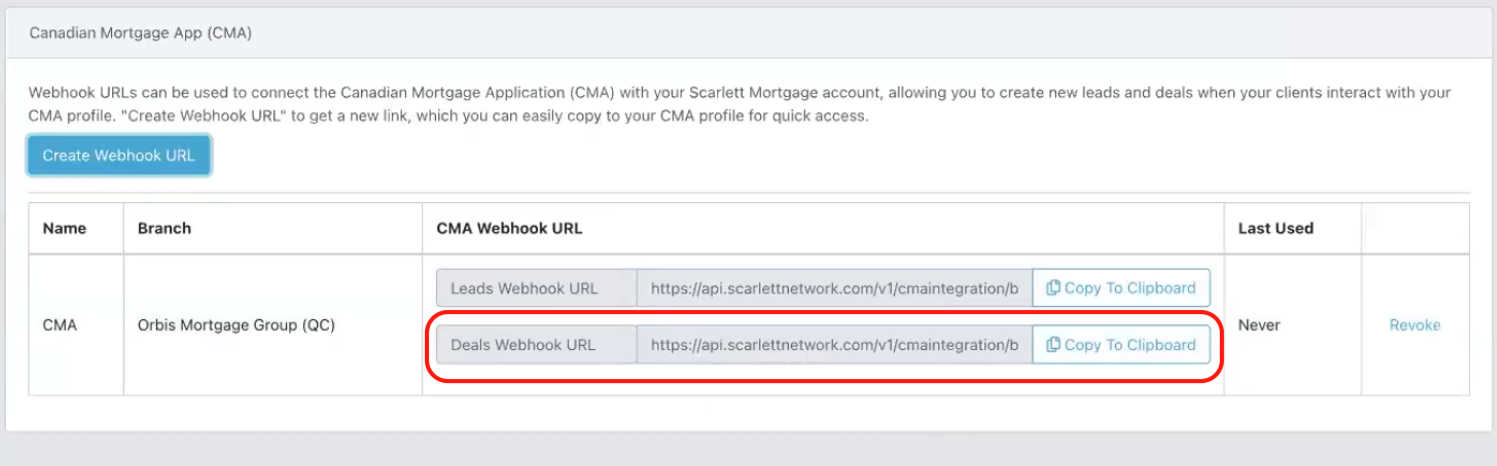
Step 5: In Scarlett, go to Settings. Find Canadian Mortgage App (CMA).
Step 6: Copy the Deals Webhook URL or select Create Webhook URL if one does not already exist. When creating the Webhook URL, fill in the pop-up box the same as the photo below.
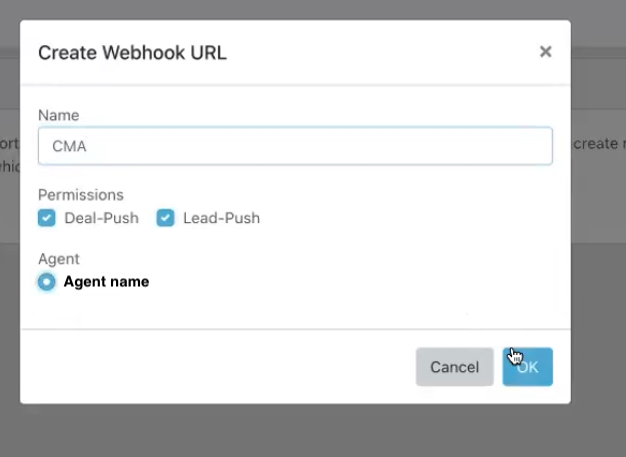
Once created, copy the Deals Webhook URL.
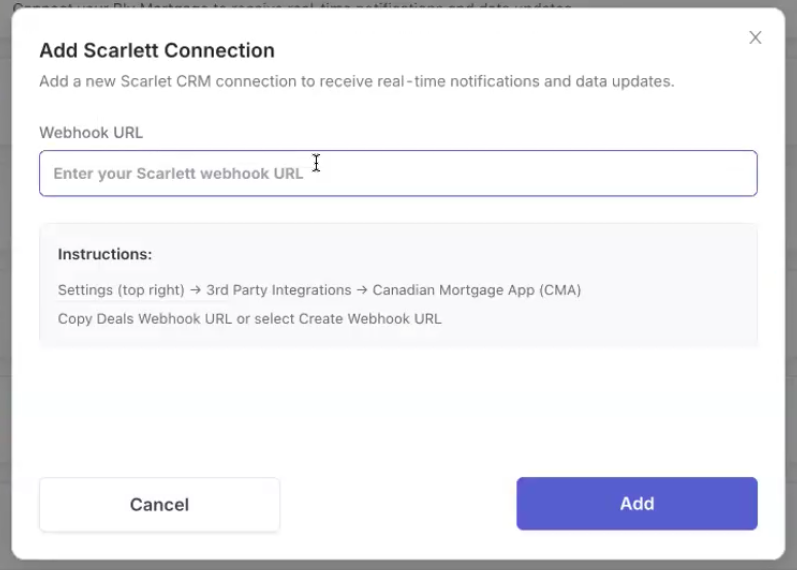
Step 7: Return to the Canadian Mortgage App Web Admin Dashboard and paste the Webhook URL to complete the connection.
Once completed, the integration should show as Connected in your Connections section.