
Step 1: Log in to your Web Admin Dashboard by going to admin.bendigi.com and following the login instructions on that page.
Step 2: Once logged in, click Connections.
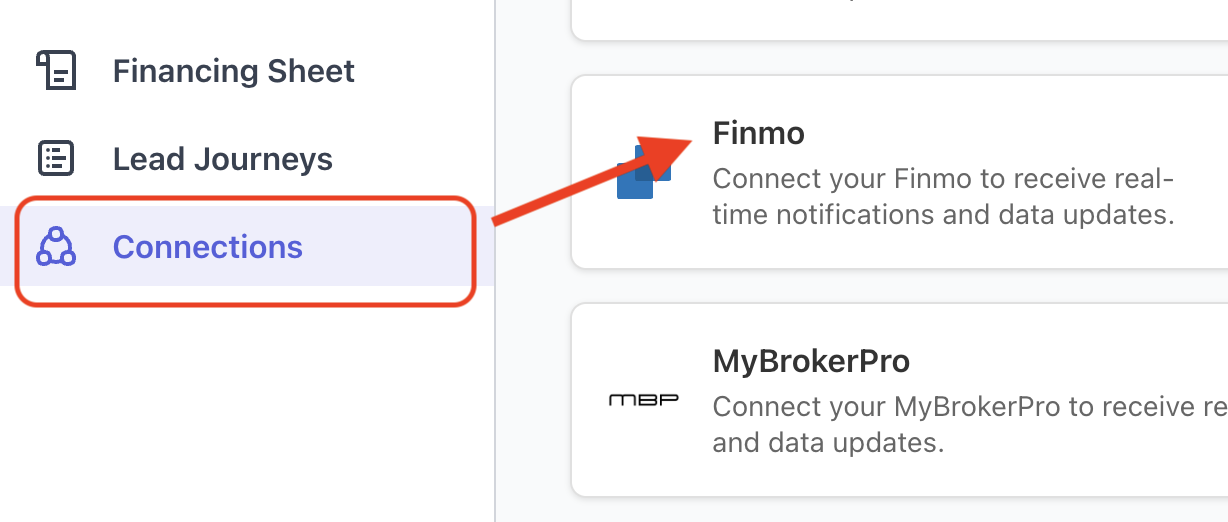
Step 3: Find Finmo in the list of integrations and click Setup.
Step 4: In a separate browser tab, log in to your Finmo account.
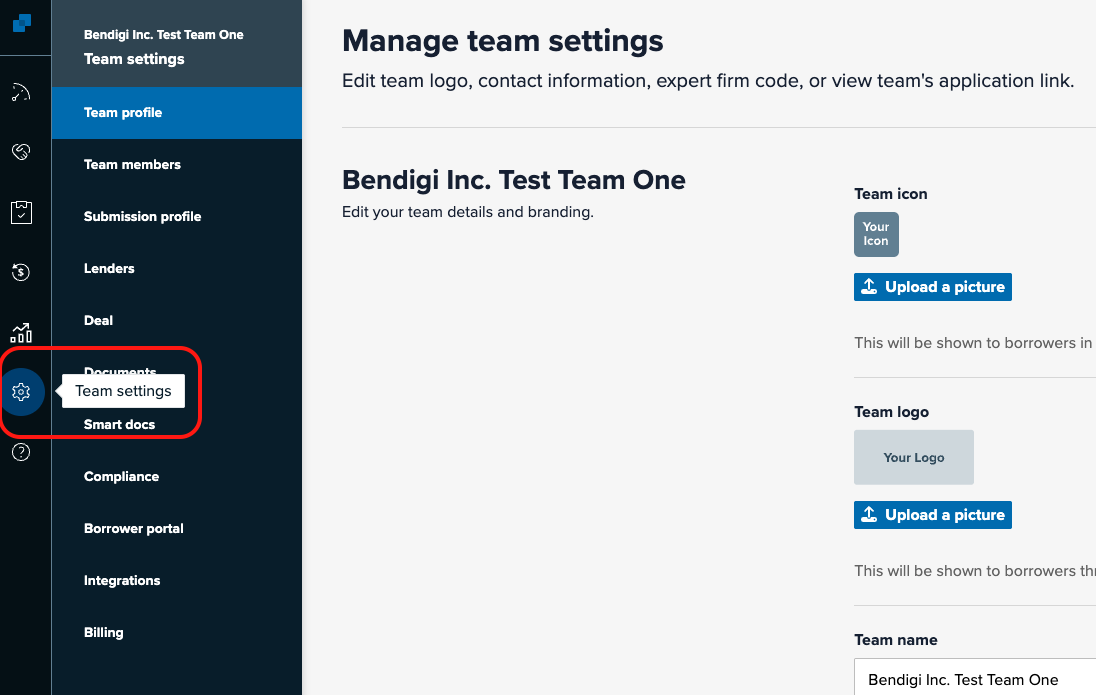
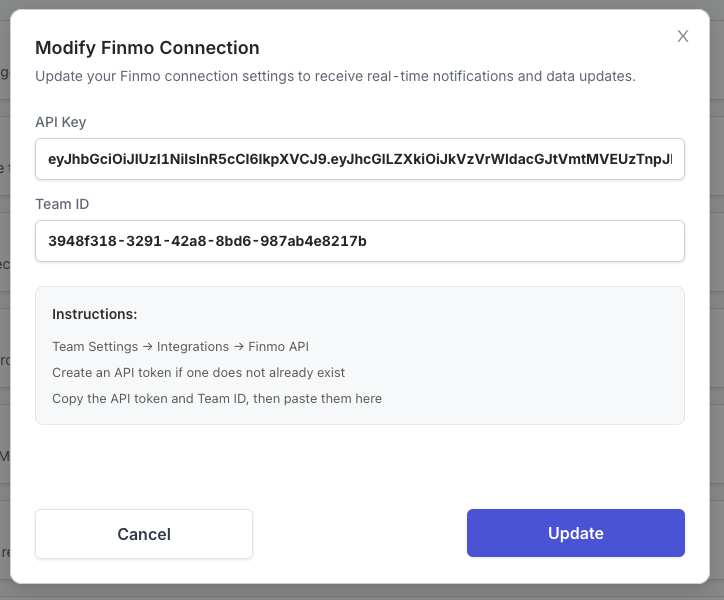
Step 5: In Finmo, go to Team Settings → Integrations → Finmo API.
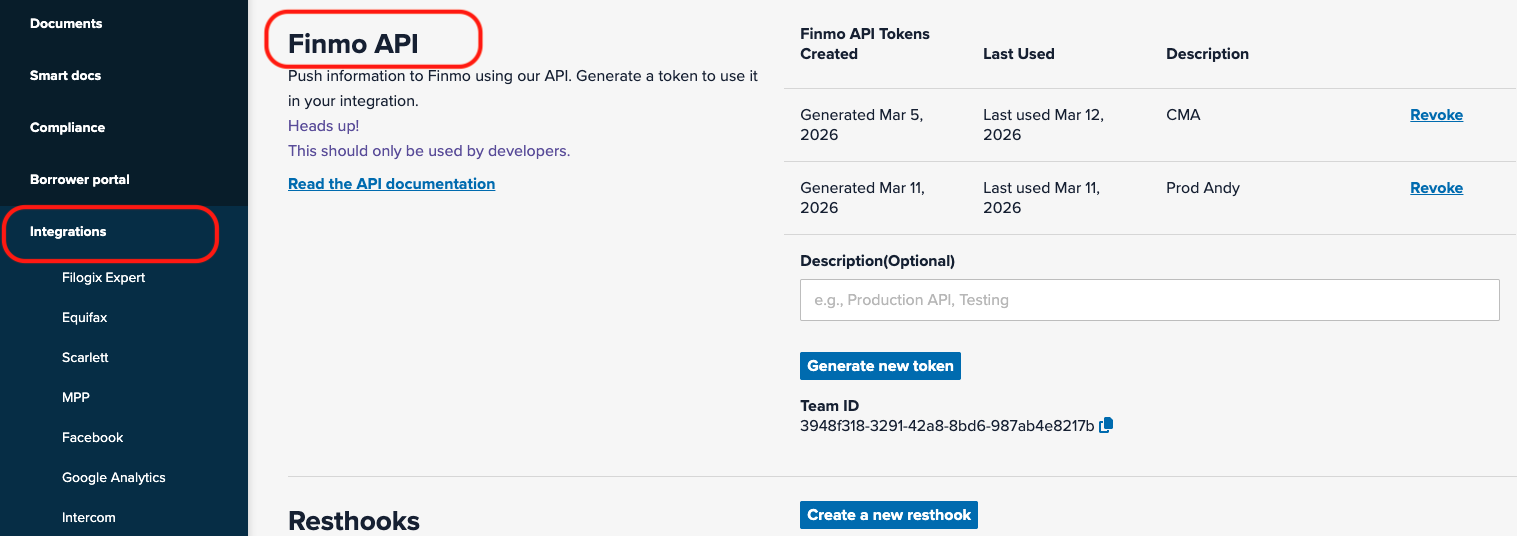
Step 6: If an API token does not already exist, click Create API Token.
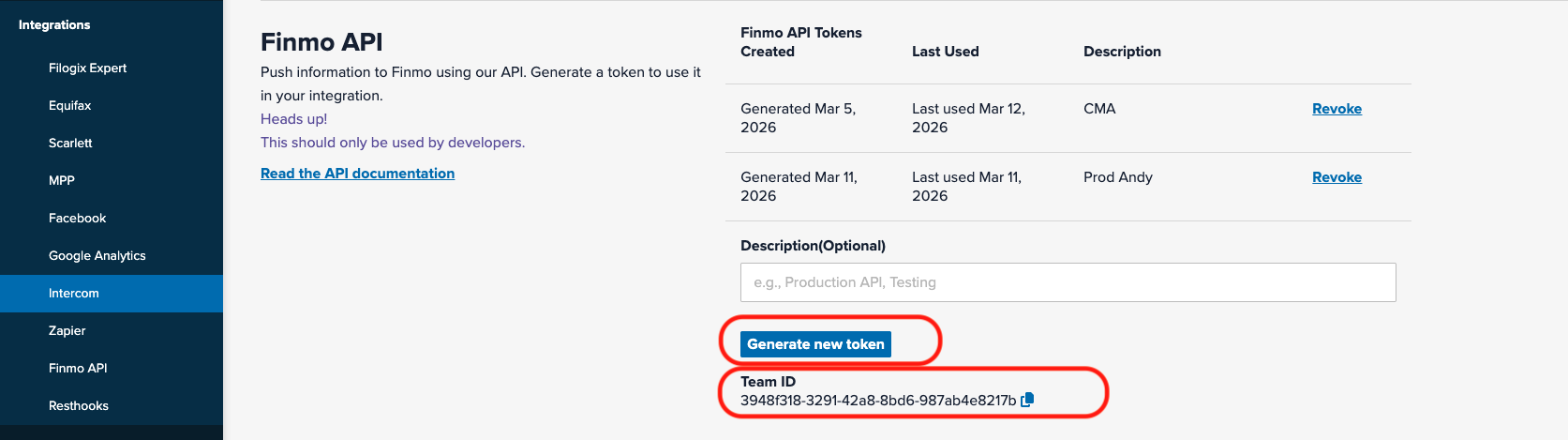
Step 7: Copy the API Token and your Team ID from Finmo.
Step 8: Return to the Canadian Mortgage App Web Admin Dashboard, paste the API Token and Team ID, and click Add.
Once connected, a green “Connected” status should appear under the Finmo integration.