Step 1: Log in to your Web Admin Dashboard by going to admin.bendigi.com and following the login instructions on that page.
Step 2: Once logged in, click Connections.
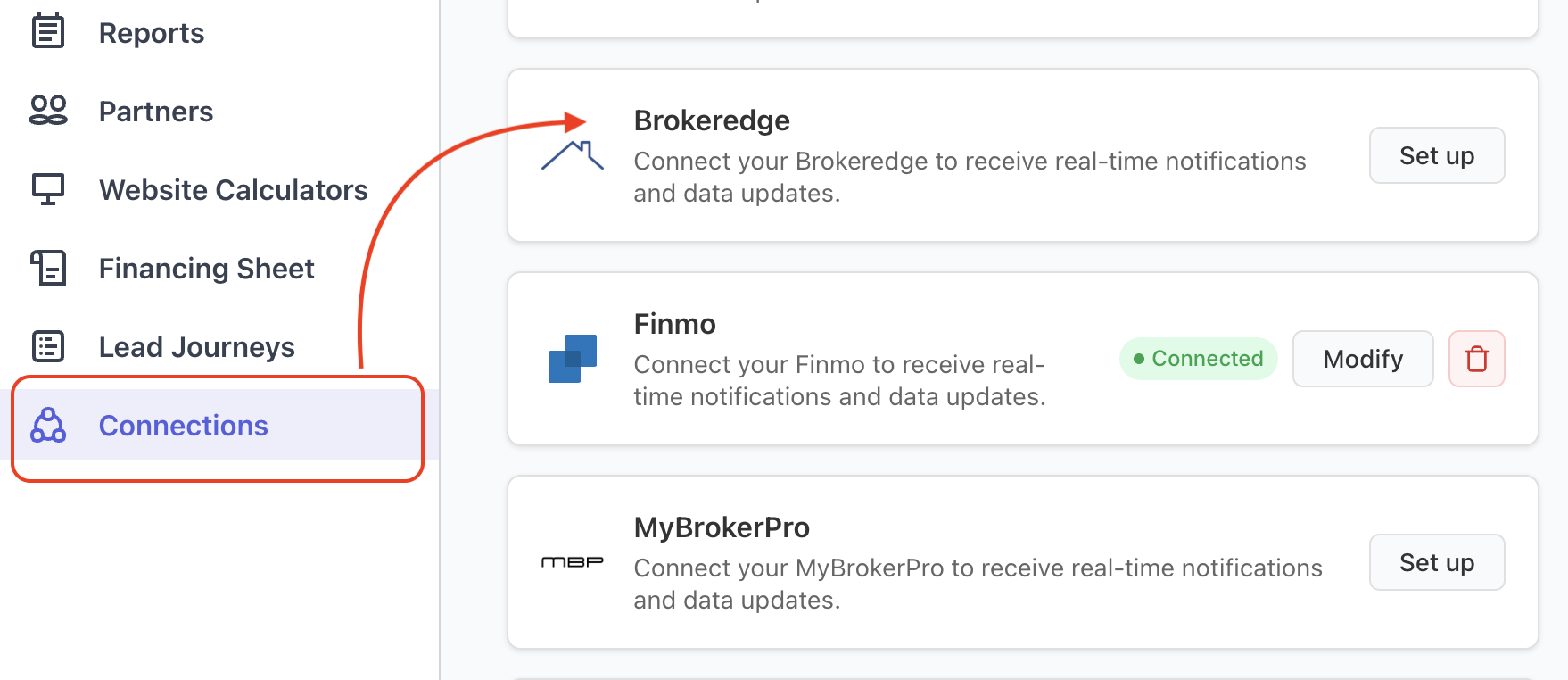
Step 3: Find BrokerEdge from the list of integrations and click on Setup.
Step 4: In a separate browser tab, log in to your BrokerEdge account. In BrokerEdge, go to Settings (top right corner).
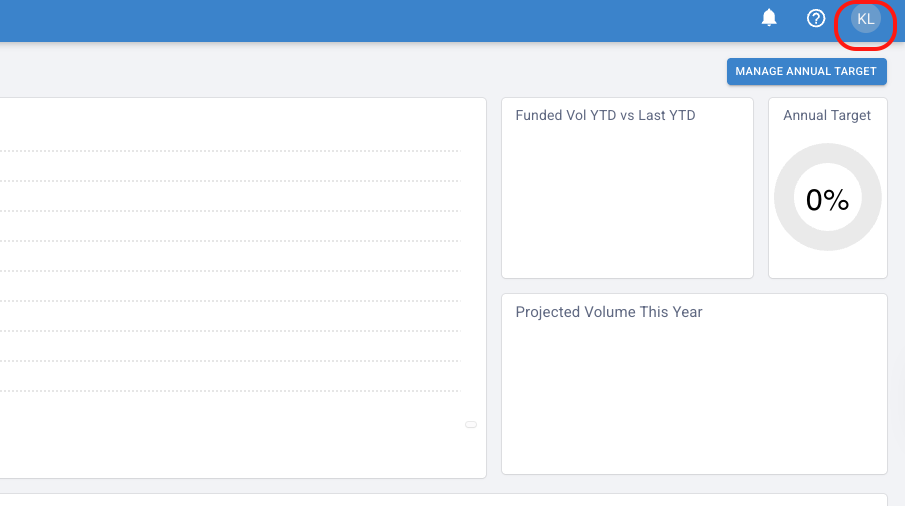
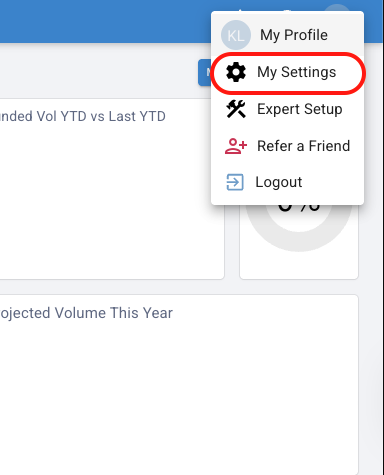
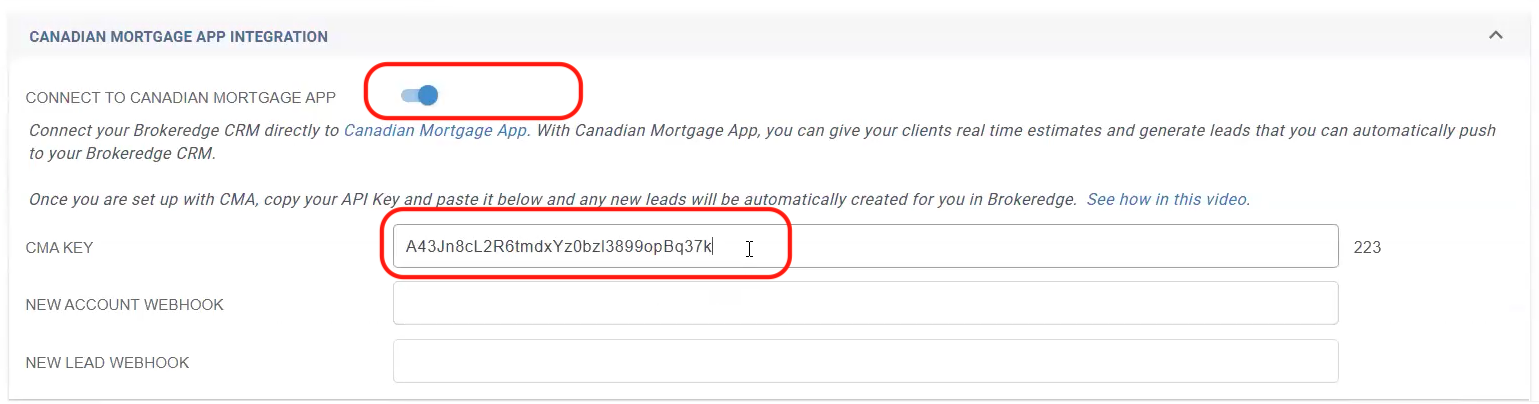
Step 5: Scroll down until you see the third-party integrations Canadian Mortgage App (CMA). Enable it by clicking the toggle button. Copy the API Key generated in BrokerEdge.
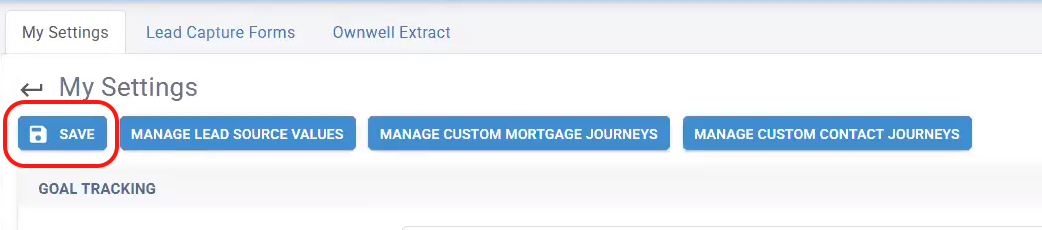
Step 6: Scroll up to the top of the page and click on the Save button.
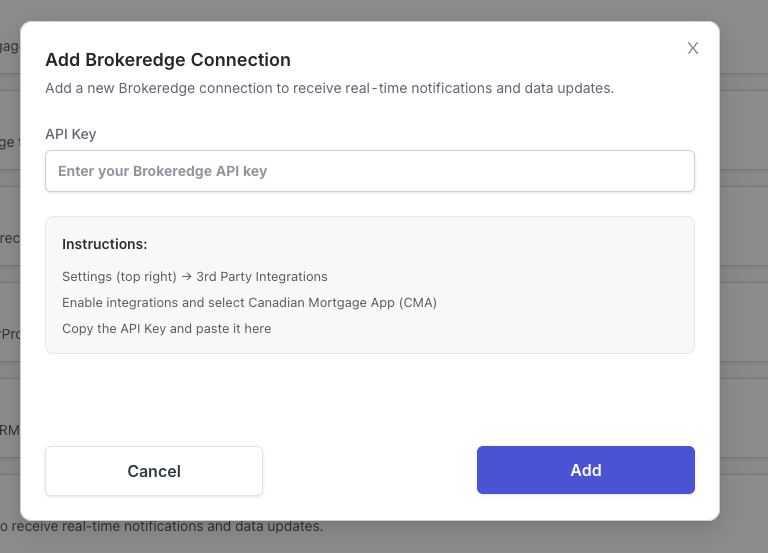
Step 7: Return to the Canadian Mortgage App Web Admin Dashboard and paste the API Key to complete the connection and click on Add. A green "connected" button should show after.