
There are two ways to copy your web calculator embed code:
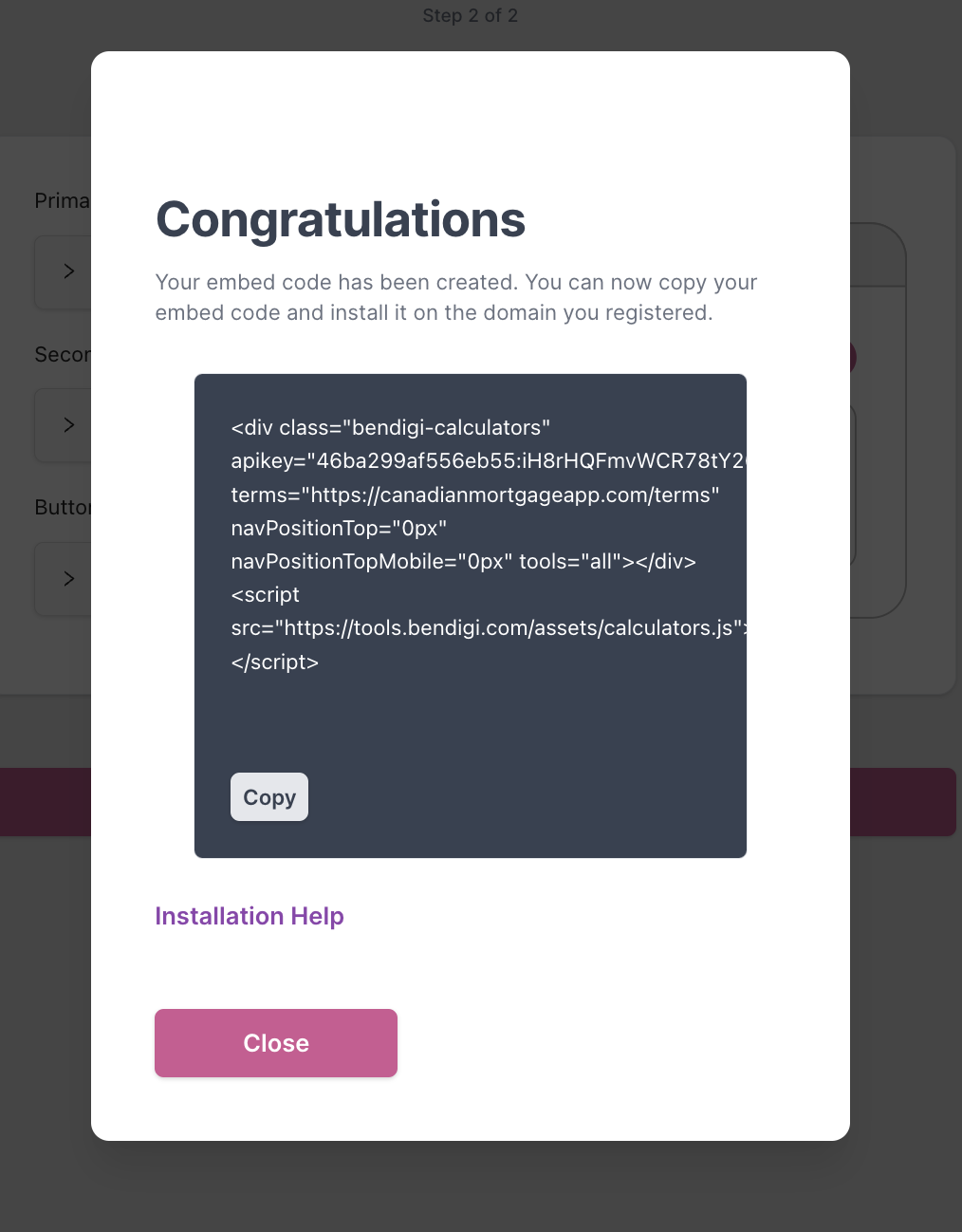
1) Right after creating the code
- When you finish creating your embed code, the final step will display the code along with a Copy button.
- Click on the copy button and paste the code into your website editor, or send it to your website/developer team to install on your site.
2) From the Calculator Hub tab
You can also grab the embed code later from your web admin:
- Go to Web Calculators in the left-hand side panel. Click on the web tile with your photo.

- Click on the Calculator Hub tab, scroll down and click the Copy button under the embed code.
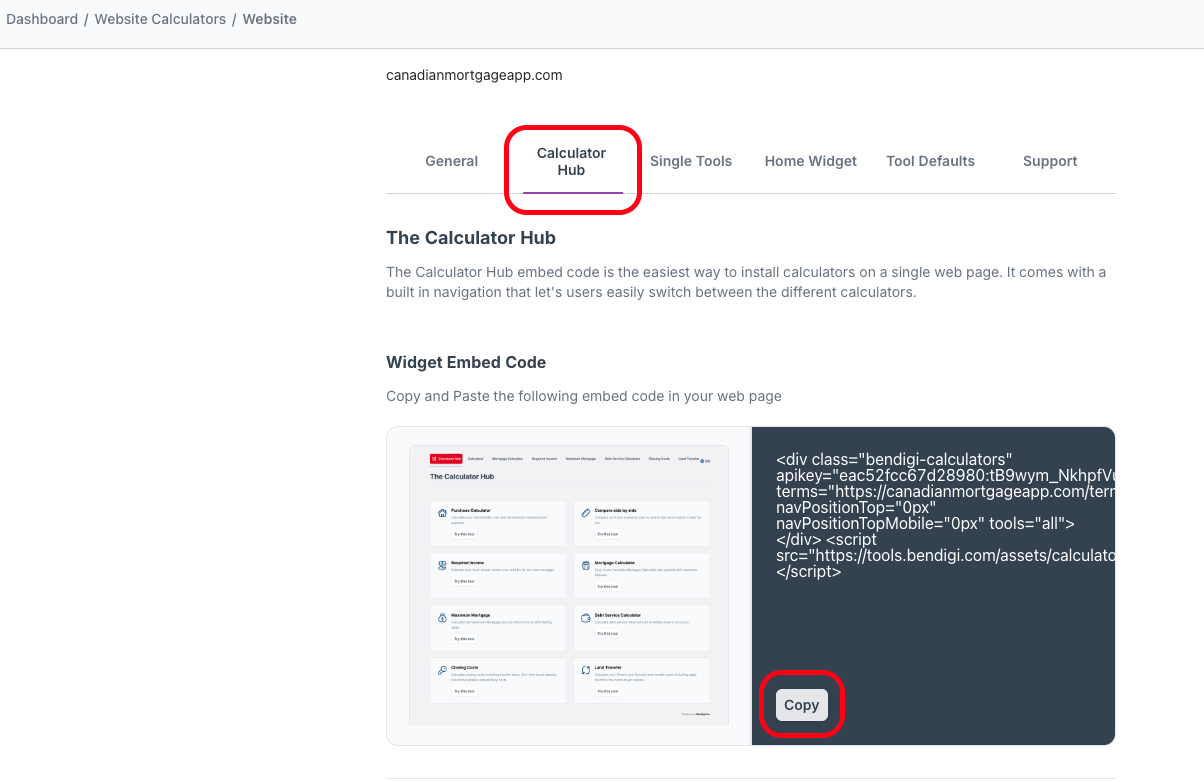
- Paste this code into your website platform editor, or send it to your website team to add it for you.