
1. Open the Web Admin site
In your desktop web browser, go to: https://admin.bendigi.com
You will see a QR code on the screen.
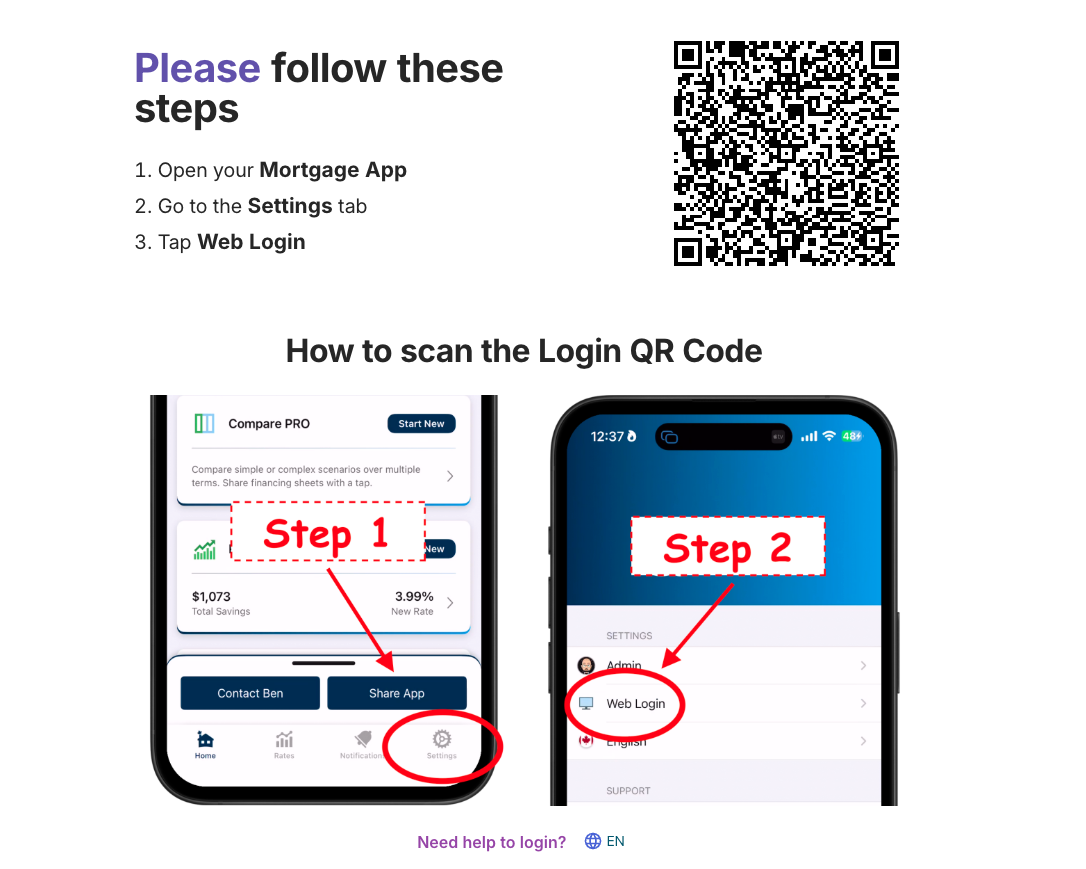
2. Use your mortgage app to scan the QR code
Open your mortgage app on your phone.
Go to the “Settings” tab.
Tap on “Web Login”. This will open the built-in QR code scanner.
Point your phone at the QR code shown on admin.bendigi.com.
Once the QR code is scanned successfully, you will be logged in to your Web Admin Dashboard.
Note: Please make sure you are logged in to your mortgage app. You should see Admin/Pro Admin in the upper left corner of your home screen.