
To update the colours to match your website branding, follow these steps:
Log in to your web admin dashboard:
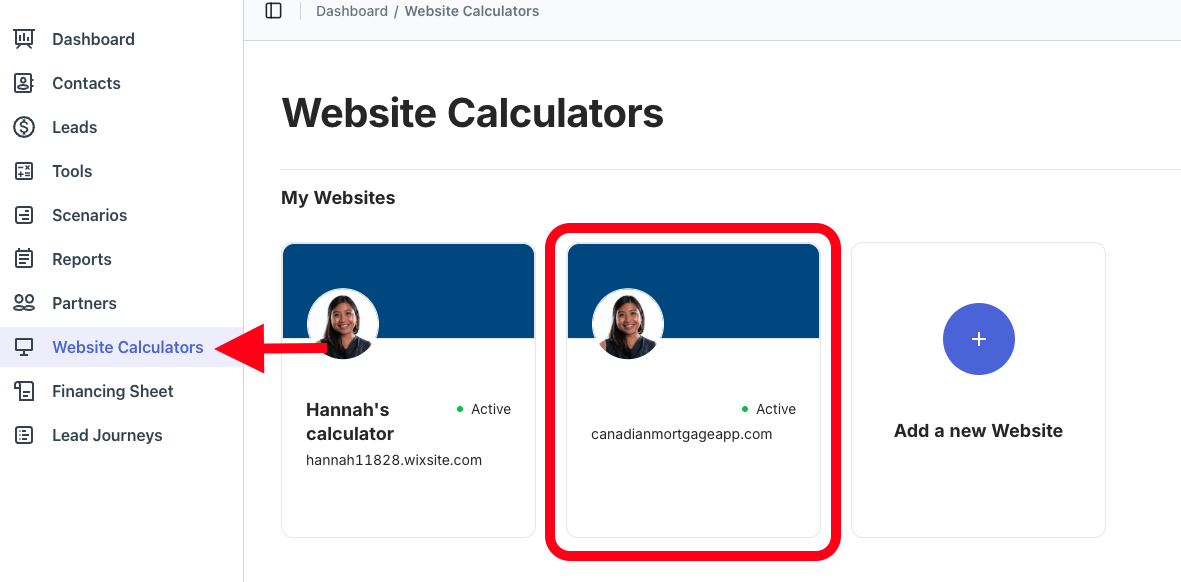
👉 https://admin.bendigi.comIn the left-hand menu, click Web Calculators and select the domain you’d like to customize.
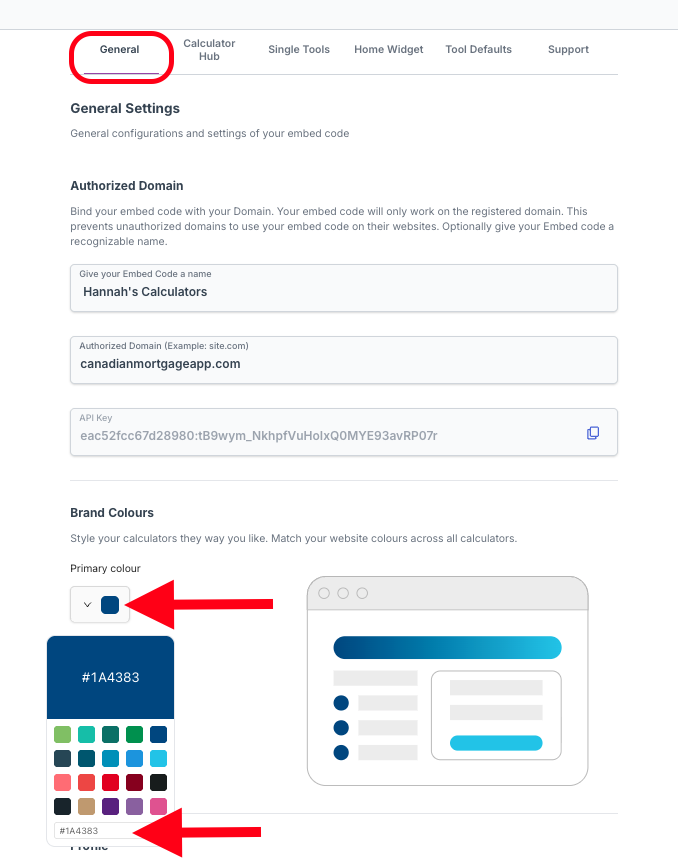
In the General tab, scroll down to the Colours section and click on the squares. Paste the HEX code of the colour in the box to match the exact colour shade you desire.
Click Save Changes to apply your new colour scheme.
Your web calculators will now reflect your updated branding.